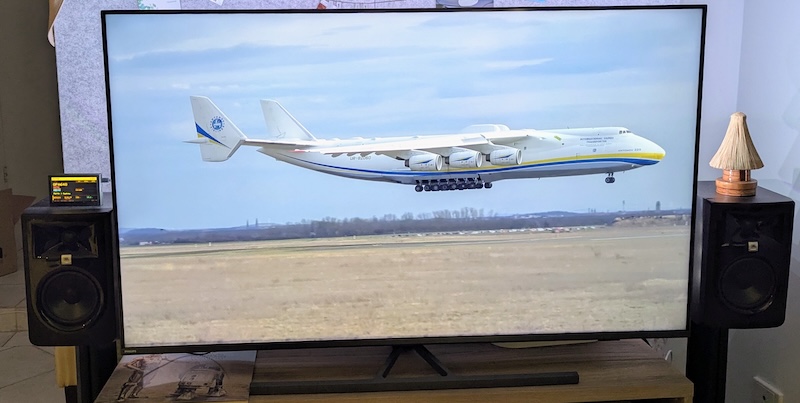
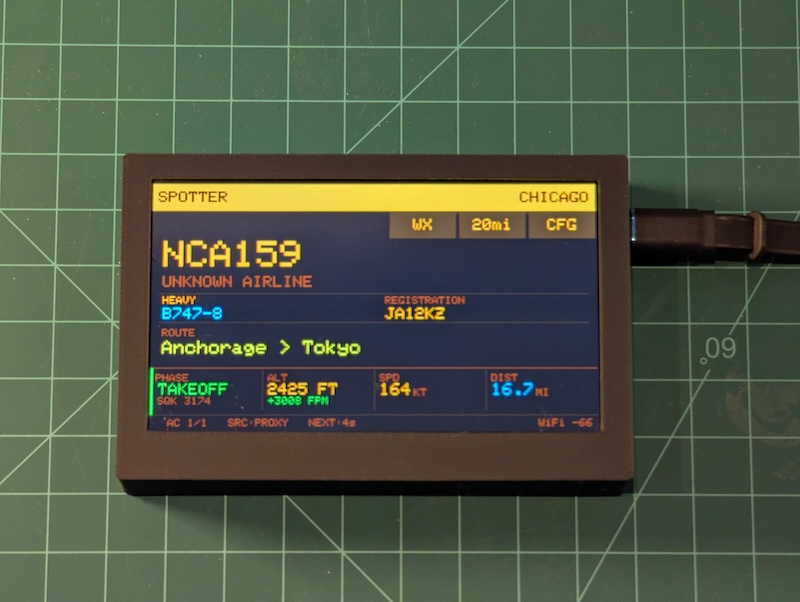
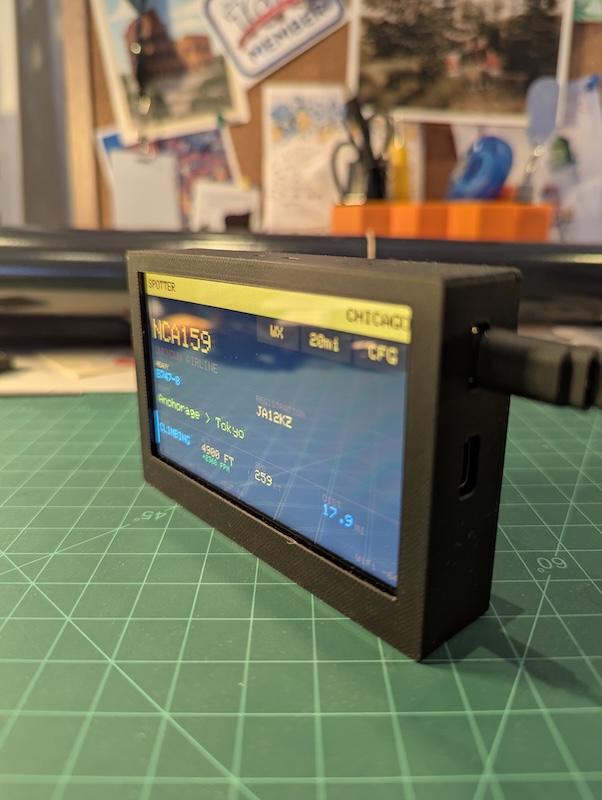
After building the Overhead Tracker with a 4” Freenove display (codenamed Echo), I wanted a bigger screen. The Waveshare ESP32-S3-Touch-LCD-4.3B looked perfect — 800x480 IPS, capacitive touch, ESP32-S3 with 8 MB of PSRAM. What I didn’t expect was how many hardware surprises were hiding in this board.
The hardware
The Waveshare 4.3B is a different class of device from the Freenove. Echo uses a simple SPI bus to push pixels — slow but straightforward. Foxtrot drives its display over a 16-bit RGB parallel bus with DMA, meaning the ESP32-S3 continuously streams pixel data to the LCD controller at high speed. This gives you smooth, tear-free rendering, but it also means 16 GPIO pins are permanently dedicated to the display bus and can never be reused for anything else.
Key specs:
- SoC: ESP32-S3-WROOM-1-N16R8 (16 MB flash, 8 MB PSRAM)
- Display: 4.3” IPS, 800x480, ST7262 RGB parallel interface
- Touch: GT911 capacitive (I2C, factory-calibrated)
- I/O expander: CH422G (I2C, for SD card and LCD control)
- Storage: MicroSD via CH422G EXIO4
The capacitive touch is a big upgrade over Echo’s resistive panel. No calibration, no pressure required, and the GT911 reports accurate coordinates out of the box.
The blue tint bug
The first thing I saw after flashing a basic sketch with SD card support was a strong blue-purple tint over the entire display. The image was still visible underneath, but every colour was shifted heavily toward blue.
The culprit: GPIO 10. Many SD card examples — including some from Waveshare themselves — use GPIO 10 as the SD chip select pin. On this board, GPIO 10 is the most significant bit of the blue channel (B7) on the RGB parallel bus. When SD.begin(10) reconfigures that pin as a SPI chip select, the display loses control of B7, and the LCD controller reads garbage on that pin during every pixel clock cycle. The result is a permanent blue tint.
The RGB565 blue channel uses five GPIOs:
| Signal | GPIO | Bit weight |
|---|---|---|
| B3 (LSB) | 14 | 1 |
| B4 | 38 | 2 |
| B5 | 18 | 4 |
| B6 | 17 | 8 |
| B7 (MSB) | 10 | 16 |
Losing the MSB means every blue value jumps by ±16 out of 31, which is a massive colour shift.
The fix: CH422G I/O expander
The SD card’s chip select on this board isn’t wired to any ESP32 GPIO directly. It’s routed through the CH422G, an I2C-based I/O expander, on pin EXIO4. The correct approach is to assert chip select through the expander and give the Arduino SD library a harmless dummy GPIO:
ch422gInit();                          // init I2C expander
ch422gSetPin(EXIO_SD_CS, false);       // assert SD CS via expander (active low)
SPI.begin(12, 13, 11);                 // SCK, MISO, MOSI — no CS pin
SD.begin(6, SPI);                      // GPIO 6 (unused CAN TX) as dummy CS
GPIO 10 never gets touched, and the display stays clean. This took a while to figure out — the Waveshare documentation doesn’t mention the conflict, and most forum posts just suggest “try a different CS pin” without explaining why.
Touch initialisation
The GT911 touch controller also goes through the CH422G — its reset line is on EXIO0. If you don’t explicitly reset the GT911 before initialising LovyanGFX, touch doesn’t work. The display renders fine, but touch events never fire.
ch422gSetPin(EXIO_TOUCH_RST, false);  // hold reset low
delay(10);
ch422gSetPin(EXIO_TOUCH_RST, true);   // release
delay(50);                             // GT911 needs time to boot
This has to happen before tft.init(), not after. The GT911 latches its I2C address during the reset sequence, and if LovyanGFX tries to probe it before it’s ready, it ends up at the wrong address.
No LVGL
My first attempt used LVGL (v8) for the UI — widgets, styles, event handlers, the whole retained-mode stack. It crashed on boot. The problem was an I2C driver conflict: LVGL’s ESP-IDF touch driver and the CH422G expander both tried to own the I2C bus, and the arbitration failure caused a hard fault before the first frame rendered.
I tried several workarounds — shared I2C bus handles, mutex-guarded access, deferred init — but LVGL’s driver model assumes exclusive ownership of the peripherals it manages. The fix was to rip out LVGL entirely and go immediate-mode with LovyanGFX.
The stub files (lvgl_v8_port.cpp and lvgl_v8_port.h) are still in the repo but contain only a comment: do not restore. If anyone hits the same issue, that’s why.
Immediate-mode rendering with LovyanGFX
Without LVGL, all drawing is direct fillRect, drawString, and drawLine calls against the LovyanGFX display object. There are no widgets, no layout engine, no event loop. Every render function clears its region and redraws from scratch.
The display layout is four horizontal bands:
800×480
├── Header (52px)     Amber bar with location name and status
├── Nav bar (56px)    Three touch buttons: WX, GEO, CFG
├── Content (292px)   Flight card + dashboard (or weather, or message)
└── Footer (32px)     Status bar with fetch timing and flight count
Each screen mode — FLIGHT, WEATHER, MESSAGE — has its own render function that fills the content area. The nav bar and header are drawn once at boot and only redrawn when state changes. The footer updates after every fetch.
Helper functions keep the rendering code clean:
void dlbl(int x, int y, const char* text, uint16_t color, int size);    // left-align
void dlbl_r(int x, int y, const char* text, uint16_t color, int size);  // right-align
void drawBtn(int x, int y, int w, int h, const char* label, bool active);
Clip-based anti-tear rendering
The first version cleared the entire content area with a single fillRect(0, CONTENT_Y, 800, 292) before redrawing. On an SPI display like Echo, this is fine — the frame buffer is in local RAM and the SPI transfer happens after drawing is complete. On Foxtrot’s RGB parallel bus, the DMA controller is continuously scanning the frame buffer to the display. A single large fill creates a visible black flash as the DMA reads cleared pixels before the new content is drawn.
The initial fix was strip-by-strip clearing — redrawing in narrow horizontal bands. But the real solution turned out to be clip-based atomic rendering. Each cell uses setClipRect to constrain drawing to a bounding box, fills and draws within it, then clears the clip. Because the fill and draw happen within the same clipped region, the DMA never catches a fully-cleared state:
// Clip-based atomic fill+draw (left-aligned)
static void dlbl_fill(int x, int y, int w, int h, float sz, uint16_t col, uint16_t bg, const char* txt) {
  tft.setClipRect(x, y, w, h);
  tft.fillRect(x, y, w, h, bg);
  tft.drawString(txt, x, y);
  tft.clearClipRect();
}
Every text cell on the dashboard — callsign, altitude, speed, distance — uses this pattern. The clip rect also handles text truncation naturally: if a long airline name or route string overflows its allocated space, it gets clipped at the boundary instead of bleeding into adjacent cells.
Full-redraw rendering
Early versions tried dead-reckoning animation between fetches — interpolating altitude from vertical speed and distance from ground speed every 100ms. It looked clever on paper, but in practice the predicted values would drift noticeably before snapping back to ground truth on the next fetch, especially during turns or phase changes. The dead reckoning code was removed in favour of a simpler approach: the firmware does a full redraw each time the display cycles to a new flight (every 8 seconds) or when fresh data arrives (every 15 seconds). Combined with the clip-based atomic rendering, the display updates cleanly without any visible flicker, and the values shown are always real data rather than predictions.
The flight dashboard
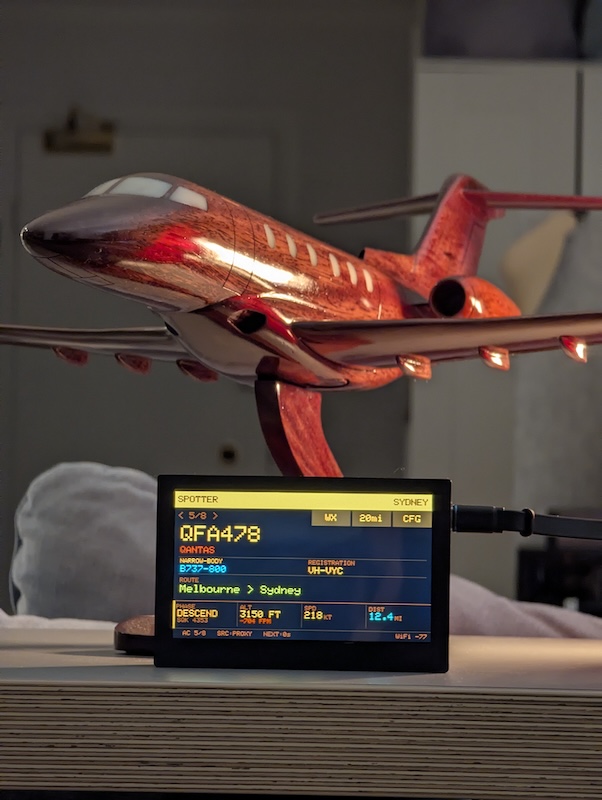
The content area in flight mode shows a two-row layout: the flight identity at the top (callsign, airline, aircraft type, route) and a four-column dashboard below:
| PHASE | ALT / V-RATE | SPEED | DIST |
|---|---|---|---|
| CLIMBING | 12,450 ft ↑ +1,200 fpm | 287 kt | 4.2 mi |
All units are imperial: distances in miles, temperatures in Fahrenheit, precipitation in inches, wind speed in MPH. The weather screen gained a precipitation field with colour-coded severity (green for dry, yellow for light rain, amber for moderate, red for heavy).
Each phase gets a distinct colour — green for takeoff, cyan for climbing, amber for cruising, orange for descending, gold for approach, red for landing, yellow for directly overhead. Emergency squawk codes (7700/7600/7500) override everything with a flashing red MAYDAY, NORDO, or HIJACK banner.
The firmware cycles through overhead flights every 8 seconds and refreshes data every 15 seconds. Three geofence presets (5 / 10 / 20 mi) are selectable via the GEO touch button. The callsign now renders in a larger font for readability from across the room, and the clock on the weather screen uses an even larger size.
WiFi and setup
On first boot, Foxtrot launches a captive portal — an open WiFi network called OVERHEAD-SETUP. Connect with your phone, and a setup page asks for three things: WiFi SSID, password, and a location name. The location is geocoded via Nominatim into coordinates and stored in NVS (non-volatile storage) alongside the WiFi credentials. Everything survives reboots and power cycles.
After connecting, the device supports ArduinoOTA — once it’s on your network, firmware updates go over WiFi. It advertises itself as overhead-foxtrot.local via mDNS. The device also sends a heartbeat POST to the proxy every 60 seconds, reporting firmware version, free heap, WiFi signal strength, and uptime.
What I learned
Building for the Waveshare 4.3B required solving problems that don’t exist on simpler SPI displays: GPIO conflicts with the RGB bus, I2C bus arbitration between the touch controller and I/O expander, DMA-induced display shimmer, and the complete incompatibility of LVGL with the board’s peripheral architecture.
The immediate-mode rendering approach turned out cleaner than LVGL would have been anyway. No widget trees, no style objects, no memory pool tuning. Just fillRect and drawString, with careful attention to the order of operations because the DMA controller is always watching.
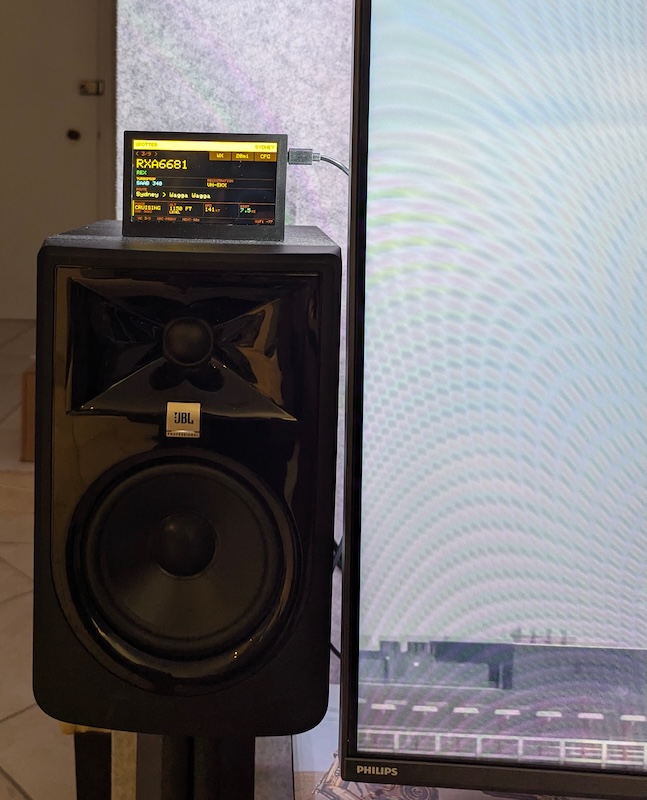
Foxtrot is now running in Chicago, tracking flights in and out of O’Hare and Midway. The extra screen real estate and smooth rendering make it a genuine upgrade over Echo, and the capacitive touch makes it feel like a finished product rather than a dev board.
The full source is in the tracker_foxtrot directory of the repo. MIT licensed, like everything else.